

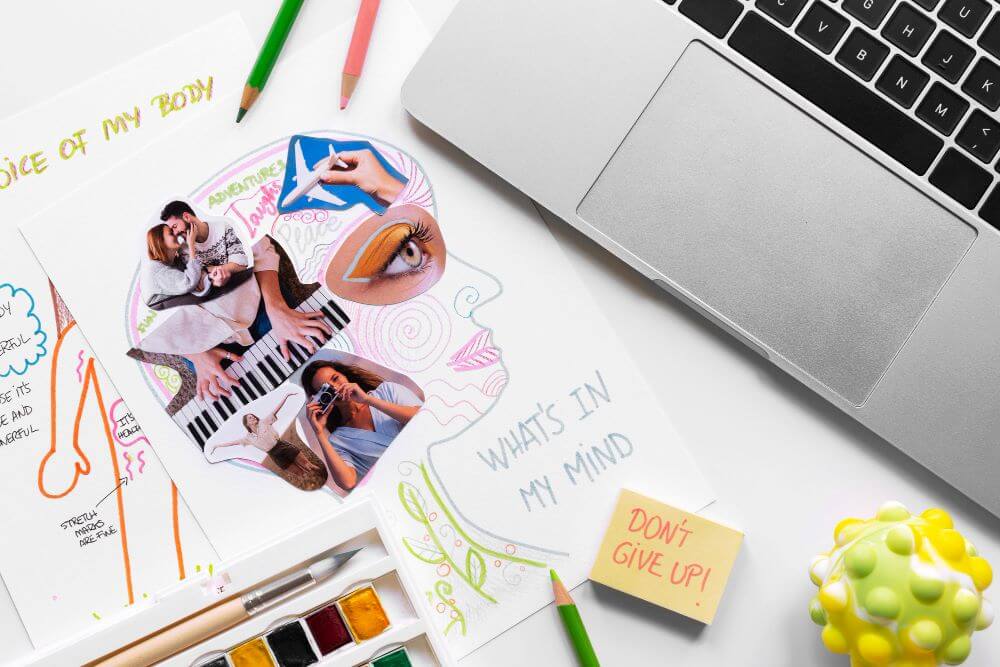
Collage design is a creative and effective way to combine multiple photos, graphics, and text into one eye-catching visual that tells a complete story in a single image. In 2025, with social media feeds moving faster than ever and personal branding becoming more important for creators and small businesses, collage design helps your content stand out and feel more personal. Whether you are building a consistent Instagram grid, creating story highlights, or designing a LinkedIn banner that shows your journey, a good collage design mixes memories, products, or ideas into something that people stop scrolling for. Adobe Express offers an easy way to make collage designs that look professional yet personal. This guide covers how to create collage designs specifically for social media and personal branding, with practical ideas for different platforms and purposes.
From weekly photo dumps to brand storyboards or milestone recaps, collage design in 2025 is about showing more with less while keeping your style consistent and authentic.
Why Collage Design Works So Well for Social Media Content
Social media rewards visuals that feel real and rich in detail, and collage design delivers exactly that. A single collage can show a full weekend trip, a product collection, or a before-and-after transformation without needing multiple separate posts. On Instagram and TikTok, collages perform especially well in carousels and story highlights because viewers enjoy exploring each part of the image. They increase dwell time and save space in busy feeds.
For personal branding, collage design helps you show different sides of your work or life in one frame, making your profile feel more complete and approachable. Small businesses use them to display customer testimonials alongside products or to show team members working together. The layered look gives a handmade, authentic feel that connects better with audiences than single flat images. In 2025, when algorithms favor content that keeps people engaged longer, a well-made collage design is one of the smartest content choices you can make.
How Collage Design Strengthens Personal Branding
Personal branding is all about showing who you are and what you stand for, and collage design lets you do that visually. Creators use it to build signature styles, such as a consistent color palette or recurring elements that appear in every post. Coaches and consultants create collages that combine client results, behind-the-scenes moments, and motivational quotes to tell their full story. Freelancers use them to showcase different projects side by side, helping potential clients see the range of their work.
The beauty of collage design for branding is its flexibility. You can update it seasonally or for special campaigns while keeping the same overall style, so your audience always recognizes you. It also works across platforms, one collage for Instagram stories, another for LinkedIn banners, but all with the same visual language. This consistency builds trust and makes your personal brand feel professional and approachable at the same time.
Step-by-Step Guide to Creating Collage Designs
Adobe Express makes collage design quick and enjoyable for anyone. Here is how to create your own.
Step 1: Gather Your Photos and Ideas
Collect the images, screenshots, or graphics you want to include. Decide on the story or message, such as a weekly recap, product lineup, or personal milestone. Choose a color theme or mood that matches your brand.
Step 2: Start in the Collage Tool
Open the Adobe Express photo collage maker. Choose a grid template or start blank. Drag and drop your photos into the layout. The tool automatically suggests balanced arrangements.
Step 3: Arrange and Add Personal Touches
Resize and rotate images to create visual flow. Add text overlays for captions or quotes. Include stickers, shapes, or subtle borders to tie everything together. Adjust spacing and alignment until the collage feels balanced and inviting.
Step 4: Preview, Download, and Share
Check how the collage looks on mobile and desktop. Download as high-resolution PNG or PDF. Post directly to social media or save for later use. A content creator made a weekly collage this way and grew her engagement by 35% in one month.
Tips for Collage Designs That Get Noticed
- Stick to 6-12 images for the best balance
- Use one main color palette for a cohesive look
- Place the most important image in the center or at the top
- Add short text only where it adds meaning
- Leave some white space so the collage feels airy
- Test the final version in a small thumbnail size
- Save different versions for different platforms
Small details like consistent fonts or repeating colors make your collages feel like part of your signature style.
Frequently Asked Questions
Q: How many photos work best in one collage?
A: 6 to 12 images usually give the nicest balance without feeling crowded.
Q: Can I make collage designs for print too?
A: Yes, export as PDF for high-quality printing on posters or cards.
Q: What size should my collage be for social media?
A: 1080×1080 pixels works perfectly for Instagram posts and stories.
Q: Is it free to create unlimited collages?
A: Basic features are completely free with no limits on personal use.
Q: Can I add my own text and stickers?
A: Yes, easy tools let you add captions, quotes, or decorative elements.
Conclusion
A collage design tool like the one in Adobe Express is your creative shortcut to visuals that feel personal and professional at the same time. By gathering meaningful images, arranging them with care, and adding your own touches, you can create collages that strengthen your social media presence and personal brand.
